


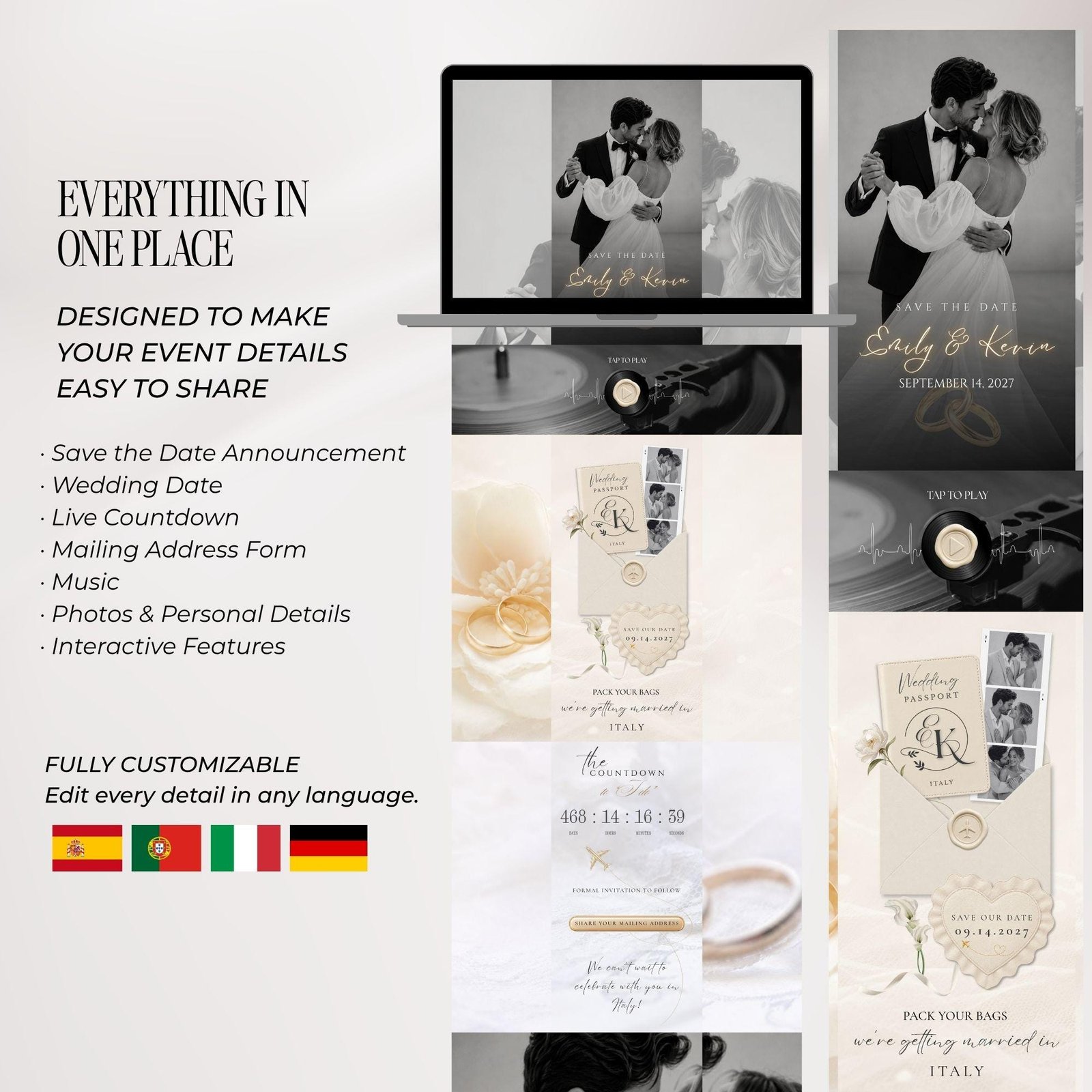

Destination Save the Date Website | Countdown & Music | Editable Canva
$26.61
Destination Save the Date Website with Countdown & Music. Go paperless without losing any of the romance. Edit it in Canva from your laptop or phone — a free account is all you need.
- Instant accessRight after checkout
- Free Canva account worksNo design skills needed
- Yours to keepLifetime access to your copy
- Secure checkoutHelp within 24 hours
Description
Destination Save the Date Website. Go paperless without losing any of the romance. Destination Save the Date Website is an interactive save the date website designed to make planning feel effortless. Expect travel-inspired details made for destination weddings.
Share your names, date, venue city and a few favorite photos, then send it by text, email or social media in minutes. Standout features: a live countdown timer, background music and photo placeholders for your own pictures. Edit it in Canva from your laptop or phone — a free account is all you need.
What You Get
- Lifetime access — once the template is in your Canva account, it’s yours to edit and reuse forever
- Live countdown timer to your big day
- Option to add background music for a cinematic feel
- Photo placeholders — add your own engagement or couple photos
- Fully editable in Canva — works with a free Canva account on desktop, tablet or phone
- Change the wording, fonts and colors as often as you like
- Mobile-friendly — opens on any phone, no app needed
- Delivered instantly — start personalizing today
View the Live Demo — try it before you buy.
Edit Your Save the Date Website in 4 Easy Steps
- Check out and get your Canva template link right away, by email and in your account.
- Open the link and copy the design into your free Canva account.
- Personalize the wording, fonts, colors and photos with simple drag and drop.
- Save as PDF or image for printing, or share it online in one click.
Made For
- Destination weddings that need early notice
- Eco-friendly couples who want to skip printing and postage
Tip: follow up later with a matching wedding website for full details.
Complete the look: Explore our wedding websites and save the date cards.
Frequently Asked Questions
Can I change the colors and fonts?
Absolutely. Every color, font and text box can be changed to match your wedding palette.
When should I send a save the date?
Most couples send them 6–8 months ahead, or 9–12 months for destination weddings.
Will anything be shipped?
No — this is a digital product, so nothing physical is shipped.
Good to Know
- Digital product — colors may vary slightly between screens and printers.
- For personal use only.
- See our Terms and Refund Policy.
Related products
-

Olive Green & Burgundy Animated Wedding Website | RSVP | Editable Canva
$12.00 Add to cart -

Olive & Burgundy Floral Wedding Website | RSVP & Countdown Timer | Canva
$28.50 Add to cart -
Modern Minimalist Wedding Website | RSVP Site & Guest Sheet | Canva
$37.88 Add to cart -

Blush & Sage Save the Date Website with RSVP | Editable Canva
$25.00 Add to cart
Reviews
There are no reviews yet.